
25 Photo and Video Content Ideas for Small Businesses to Create in a Studio
A practical idea menu for small businesses, entrepreneurs and marketing teams who know they need better photo and video content but aren't sure what to create during a professional studio session.
A business decides it needs new content. Someone books a photographer or a studio. Then comes the harder question: "What exactly are we going to create?"
Arriving with only a vague goal like "we need social media content" makes it difficult to prioritize production. Time gets used up deciding what to shoot rather than actually shooting it.
A more useful starting point is to think about the actual places where photographs and videos will be used. The website. Employee profiles. LinkedIn. Social media. Email. Advertising. Sales presentations. Product pages. Press materials. Recruiting. Educational content. Each of those destinations has different visual requirements.
One well-planned production can potentially capture several different types of assets. But this article is a menu, not a recommended one-day shot list. Attempting all 25 ideas during a single studio rental would be unrealistic for most productions. Production complexity, available time, wardrobe changes, products, lighting changes, equipment and personnel all affect what can realistically be captured.
Use this list to identify the ideas that match your actual communication needs. Then build a realistic shot list from those.
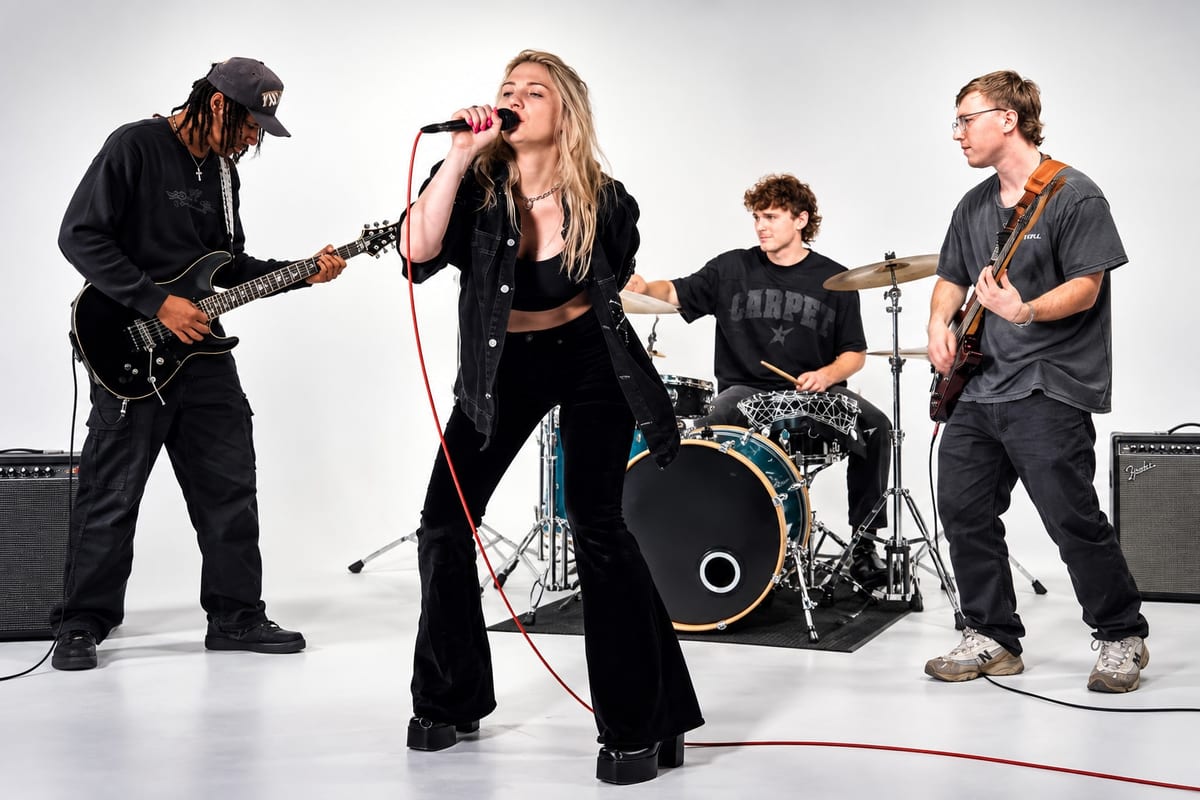
A. Core Business & Brand Assets
These are foundational images businesses may use repeatedly across websites, company profiles, marketing materials and professional communications. They tend to have a longer useful life than campaign-specific content.
1. Website Hero Images
A hero image is typically a prominent photograph near the top of an important website page. It often sets the visual tone for the entire site.
For a website hero, horizontal compositions usually work best. Consider intentionally leaving open visual space where a headline or call-to-action might sit. Subject positioning, background and framing should reflect the website's design rather than being treated as a separate decision. Alternate crops for different page sections are worth capturing while the setup is already built.
2. Company Brand Portraits
These are professional portraits representing the people behind the business. They go beyond a standard headshot to create a more complete visual impression of a person's professional identity.
Possible uses include about pages, company profiles, press materials, marketing materials and professional profiles. A brand portrait might include more deliberate framing, a wider composition, or a more considered visual environment than a traditional headshot. For a detailed planning guide, see How to Plan a Personal Branding Photoshoot.
3. Team Photos
Planned group photographs of leadership, departments, small teams, founders or business partners can be useful for about pages, company profiles, press kits and recruiting materials.
Group size, composition and required space should be considered before selecting a studio. The number of people involved also affects scheduling, wardrobe coordination and production time.
4. Images With Negative Space for Marketing Copy
Photographs with intentional open visual space can be used in contexts where text needs to appear over or alongside the image. Potential uses include website headlines, advertisements, event graphics, email banners, promotional graphics and presentations.
Negative space should be planned during composition rather than treated as a cropping problem after the fact. Decide before the shoot where the text will sit and frame accordingly.
5. About-the-Business Introduction Video
A short video in which a founder, executive or representative explains who the company is, what it does, who it serves and what customers should understand about it. The intended destination should influence framing and production decisions. A video intended for a website homepage may be framed differently than one intended for a professional social profile.
B. People & Personal Branding Content
Customers and business partners often encounter the people behind a company through websites, professional profiles, presentations and other communications. These ideas focus on creating a useful visual library of those people.
6. Professional Headshots
Consistent headshots for leadership, employees, sales teams, speakers or company directories. Possible uses include LinkedIn, website bios, email profiles, speaker profiles and press materials.
A studio environment can provide consistent lighting and background across multiple people, which is useful when a team needs matching headshots. Photographers, cameras and lighting equipment are not included with the studio rental. For a detailed guide to organizing a company headshot session, see How to Plan a Corporate Headshot Session in Chicago.
7. Personal Branding Portraits
A personal branding portrait goes beyond a tight headshot to show more of the person and their professional presence. Possible variations include waist-up, full-body, seated, standing, horizontal and vertical compositions, as well as different expressions and levels of formality.
The right combination depends on where the images will be used and how the person wants to present themselves professionally. For a complete planning guide, see How to Plan a Personal Branding Photoshoot.
8. Working or Action Portraits
Photographs showing a person appearing to perform an activity connected to their work. Examples might include reviewing documents, using a laptop, presenting, holding a product, demonstrating something or speaking to camera.
These should be relevant to the actual business. A prop that has no connection to the work being shown tends to read as staged rather than authentic. The activity should make sense for the person and the business.
9. Founder or Leadership Video Messages
Direct-to-camera messages from founders or leaders. Potential uses include website content, company announcements, recruiting, internal communication, professional social channels and brand introductions.
The framing and production approach should reflect where the video will appear. A message intended for a company's website may call for a different visual treatment than one intended for a social platform.
10. Speaker and Expert Content
For professionals who speak at events, participate in panels, appear on podcasts, provide commentary, teach or present webinars, a studio session can produce portraits and short video segments designed for professional profiles and promotional materials.
Both horizontal and vertical options may be useful depending on where the content will appear. Capturing both orientations while the setup is already built is more efficient than returning for a separate session.
B-Roll and Video Production at Studio 33

C. Product & Service Content
Businesses selling products or explaining services often need more than one basic product image. A single product may require several different types of photographs depending on where those images will be used.
11. Clean Product Photographs
Product-focused images with a controlled background. Possible uses include websites, ecommerce, catalogs, sales materials and product announcements.
The final background appearance depends on production and post-production decisions, not simply on the physical background being white. Camera settings, exposure, lighting and editing all affect the result. For detailed planning guidance, see How to Plan a Product Photography Shoot in a Professional Studio.
12. Product Detail Images
Close-up imagery showing materials, features, texture, controls, packaging details or construction. These can be useful alongside primary product photographs when buyers need to understand specific aspects of a product before making a decision.
Macro photography equipment is not included with the studio rental. Renters should confirm what equipment their production requires.
13. Product-in-Use Photography
Photographs showing a product being held, worn, demonstrated, operated or used in context, when appropriate for the product. These can help communicate how a product works or fits into a person's life.
Talent, wardrobe and props must be arranged separately when needed. The appropriate setup depends on the product, the intended use of the images and the visual direction.
14. Product Demonstration Videos
Videos showing how a product works, is assembled, is used, is configured or solves a particular task. Demonstrations should be planned around what viewers actually need to understand, not simply around what is easiest to show.
The intended platform should influence framing, length and production approach.
15. Service Explanation Videos
Not every business sells a physical product. A service business can create videos explaining what a service is, how the process works, what someone should expect, common questions or differences between service options.
These can be useful for websites, sales conversations and professional profiles. The content should reflect what customers actually ask before deciding to work with the business.
D. Educational & Video Content
Businesses often have expertise that can be turned into useful video content. The challenge is usually not finding topics. It is selecting the most important ones and preparing for them before arriving at the studio.
16. Frequently Asked Question Videos
Short answers to questions the business regularly receives. Possible sources for topics include sales conversations, customer emails, website FAQs, consultation questions and customer service interactions.
Each FAQ can be planned as an individual recording topic. Preparing the questions and answers in advance is more efficient than improvising responses on production day.
17. Educational Tips and How-To Videos
Short educational segments that explain something the business genuinely knows. Examples might include how something works, what to consider before buying, how to prepare, common terminology, basic processes or maintenance and care information.
The subject should reflect actual business expertise. Content that is genuinely useful to the intended audience is more valuable than content created simply to fill a schedule.
18. Myth vs. Fact or Common Misconception Videos
A knowledgeable business professional addressing misunderstandings within their industry. Content should be accurate and within the speaker's expertise. The goal is to provide useful clarification, not to generate controversy.
19. Interview-Style Content
Instead of speaking directly into the lens, a person answers questions in an interview format. Potential uses include executive profiles, employee stories, subject-matter expertise, company history, professional commentary and educational content.
For detailed planning guidance on interview-format video, see How to Plan a Professional Video Interview in a Studio. For a broader guide to planning all types of business video content, see How to Create Professional Video Content for Your Business. For spoken video, production teams should plan appropriate audio equipment and evaluate the studio environment for their needs. Microphones are not included with the rental.
20. Long-Form Video That Can Be Edited Into Shorter Segments
A business might record a longer discussion, interview or educational presentation with the intention of later identifying shorter excerpts. If repurposing is planned, the recording should be structured with that intended use in mind. Pausing between topics, repeating key points and maintaining consistent framing can make editing easier.
Studio 33 does not provide editing services.
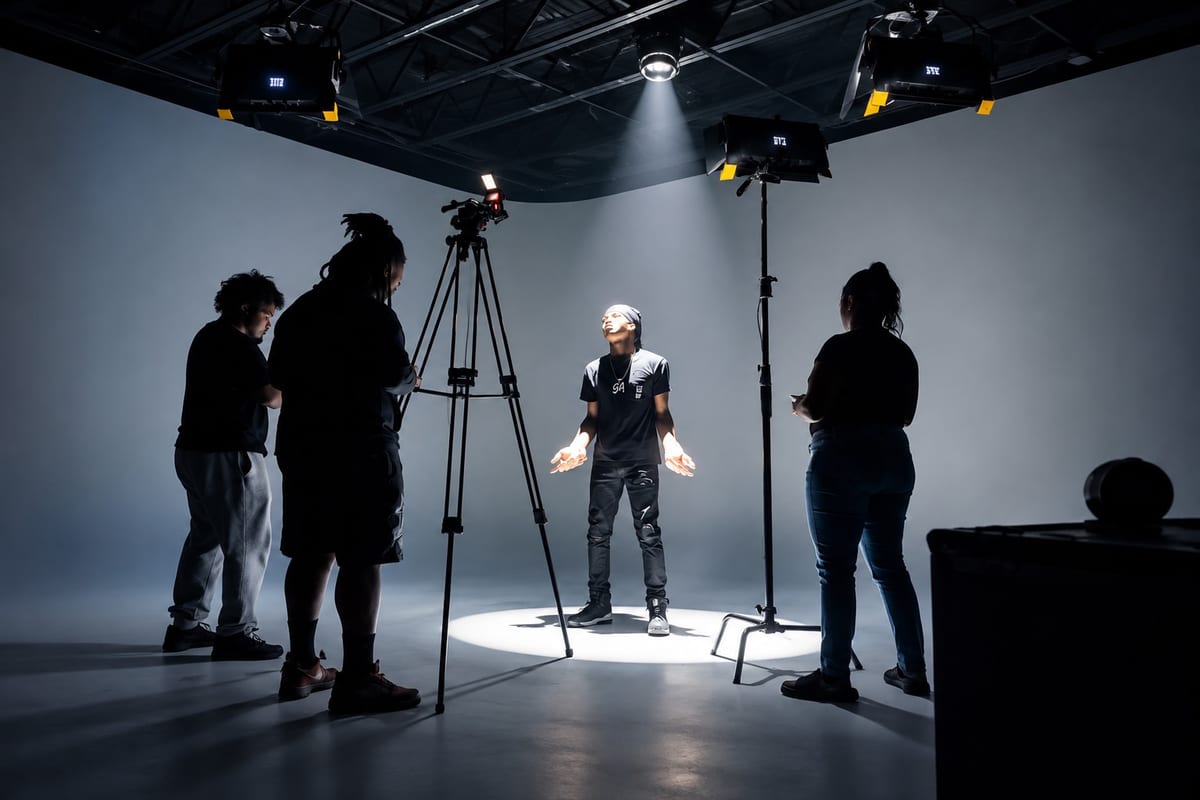
RGB Lighting for Business Content
E. Social, Campaign & Content Library Assets
This final group focuses on flexible supporting assets that can help businesses build a broader visual library over time.
21. Vertical Social Video
Intentionally recording video vertically when that format is part of the content plan. Potential uses may include Reels, Stories, Shorts and other mobile-oriented content. Platform specifications change, so current requirements should be verified before production.
Vertical framing should be planned from the start rather than applied as a crop to horizontal footage. Subject positioning, background and composition may all need adjustment for a vertical frame.
22. Behind-the-Scenes Content
Businesses may document parts of their own production process. Potential BTS content includes setup, wardrobe preparation, products being organized, camera setup, lighting, recording and general production activity.
BTS provides another perspective on how the content was made. For an example of what a production day can look like, see Behind the Scenes at Studio 33 Chicago: From Empty Cyc Wall to Finished Shoot.
23. Seasonal or Campaign-Specific Content
Photographs or videos planned around upcoming seasons, promotions, events, product launches, company milestones or campaigns. Looking at the actual marketing calendar before production day helps identify which upcoming needs could be addressed during the session.
Campaign-specific content has a defined useful window. Evergreen content (idea #25) has a longer potential life. A well-planned session might include both.
24. B-Roll Library
B-roll is supporting video footage used alongside primary footage. Business B-roll might include working, typing, walking, product interaction, hands, close-ups, equipment, products or alternate camera angles.
The appropriate footage depends on the business. A planned B-roll library gives editors more visual options when assembling finished video. Studio 33 does not provide editing services.
25. Evergreen Brand Asset Library
Not every photograph or video needs to correspond to a specific post or campaign. Businesses can intentionally create a broader library of reusable visual assets.
This might include horizontal portraits, vertical portraits, full-body photographs, detail photographs, working images, product images, images with negative space, short B-roll clips, neutral video clips and alternate expressions and compositions.
Evergreen means the material is not tied to a specific date, promotion or event. These assets can potentially be used across multiple contexts over time. How long any image remains useful depends on the business, the visual direction and how the brand evolves.
How a White Cyclorama Can Support Different Content Looks
Studio 33 has a 14' x 14' white cyclorama wall. A cyc uses a curved transition between the wall and floor rather than a traditional 90-degree corner, which can create a more seamless-looking background from appropriate camera angles.
A white cyc can provide a clean starting environment for headshots, personal branding, product interaction, full-body photographs, talking-head video, commercial photography and content creation, depending on framing and lighting. For a complete explanation of how a cyclorama works, see What Is a Cyclorama Wall? A Guide for Chicago Photographers.
Use RGB Lighting to Create a Different Visual Direction
Studio 33's white cyclorama does not necessarily need to appear white. Studio 33 has three RGB lighting panels positioned on the ceiling lighting grid and one additional panel on a C-stand.
RGB lighting can potentially create colored backgrounds, gradients, brand-inspired color, creative portraits and colored video environments. Exact corporate color matching is not guaranteed. Camera settings, white balance, exposure, wardrobe and other production choices all influence the final result. Changing the RGB color does not automatically create a finished new setup. Testing combinations before recording important material is worth the time.
Don't Try to Create All 25 Ideas in One Session
This article is an idea menu, not a recommended one-day shot list.
Attempting to produce all 25 concepts during one studio rental would be unrealistic for most productions. A single commercial concept may require more production time than several simple portraits. Complexity matters more than simply counting ideas.
A more practical approach:
- Identify where the business currently lacks content.
- Select the most important ideas from this list.
- Determine the required deliverables.
- Build the shot list.
- Group related setups to use studio time efficiently.
- Determine realistic studio time based on production complexity.
- Save lower-priority ideas for a future production if necessary.
For a detailed guide to organizing a multi-concept studio session, see How to Plan a Content Creation Day. For commercial productions involving brands and agencies, see How to Plan a Commercial Photoshoot.
Planning Business Content at Studio 33 Chicago
Studio 33 Chicago is located at 33 N. Addison Rd. in Addison, Illinois. The studio provides a professional photo, video and content production rental environment serving businesses, creators, photographers, videographers, agencies, brands and production teams throughout Chicago and the surrounding western and northwestern suburbs.
Relevant verified features include:
- 14' x 14' white cyclorama wall
- Professional ceiling lighting grid
- RGB lighting (three ceiling-grid panels and one C-stand panel)
- Private green room with two vanity stations, large sofa, wardrobe rack, privacy divider and device chargers
- High-speed Wi-Fi
- Climate-controlled studio
- Men's and women's restrooms
- Free on-site parking
- Sandbags and apple boxes
- Photography and video production capabilities
Studio rental starts at $105 per hour, subject to current minimum booking requirements:
- Monday through Friday daytime: 2-hour minimum
- Evenings: 3-hour minimum
- Weekends: 3-hour minimum
These are starting rates. Optional services, add-ons, additional time or other booking requirements may affect the final price. Renters should check current booking information for pricing, availability and any optional services.
The rental provides the studio environment. Photographers, videographers, camera equipment, microphones, models, content strategy, social media management, styling, editing, retouching and finished photographs or videos are not included.
Frequently Asked Questions About Creating Business Content in a Studio
What content should a small business create?
There is no universal content list. Businesses should start with their actual communication needs, such as website photography, professional profiles, product information, educational content, sales materials, social media and video. Then choose the content formats that support those needs.
What should I photograph for my business?
Potential options include professional portraits, team photographs, products, people using products, working images, website hero images, detail images and photographs with space for text. The appropriate images depend on the business and where the photographs will be used.
What videos should a small business create?
Potential options include business introductions, FAQs, educational videos, product demonstrations, service explanations, interviews and B-roll. Businesses should choose topics based on what their audience actually needs to understand.
Can I create photography and video during the same studio session?
Potentially, yes. However, photography and video may require different equipment, lighting, audio, personnel and setup. Plan both formats before production day if both are required.
How much content can I create during one studio rental?
There is no universal number. The amount depends on production complexity, preparation, studio time, number of people, products, wardrobe changes, lighting changes, equipment and whether photography and video are both being produced.
Does Studio 33 provide a photographer or videographer?
Studio 33 is primarily a professional studio rental space. Renters should arrange the professionals and specialized equipment required for their production. Photographers, videographers and camera equipment are not automatically included with the rental.
Can Studio 33 be used for small-business content creation?
Yes. Studio 33 provides a photo and video production environment that can be used by businesses, creators, photographers, videographers and production teams for appropriately planned content projects.
Where is Studio 33 Chicago located?
Studio 33 Chicago is located at 33 N. Addison Rd. in Addison, Illinois, serving Chicago and the surrounding western and northwestern suburbs.
Build a Content List With a Purpose
The goal of a business content shoot should not simply be to create as much content as possible.
Instead, start with the actual questions: What does our website need? What does our sales team need? What professional profiles need updating? What products or services need explaining? What questions do customers repeatedly ask? What upcoming campaigns need visual assets? Where do we need photography? Where do we need video?
Use the answers to select the most useful ideas from this list. Then turn those ideas into a realistic shot list and production plan.
For businesses and production teams considering a Chicago-area environment for creating photo and video assets, explore Studio 33's content creator studio, photo studio rental, video studio rental, production studio rental, cyclorama wall, RGB lighting, studio amenities and gallery pages to see whether the space fits the production.